
Innovating for individuals with visual impairments
Enhancing tactile accessibility for millions of ThinkPad users worldwide.
Project Overview & Approach
For more than 30 years, ThinkPad keyboards have been recognized for their consistency and usability. As notebook designs became slimmer and more compact, however, I saw blind and low-vision users increasingly struggle with inconsistent keyboard layouts that made accurate navigation more difficult.
In response, I led foundational discovery research to better understand the lived experiences of users with visual impairments and to identify opportunities to make keyboard navigation more intuitive. This work helped spark a multi-year, cross-departmental effort at Lenovo focused on improving keyboard accessibility.
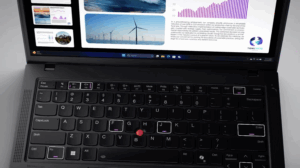
My research ultimately informed Lenovo’s decision to introduce built-in tactile cues on the ThinkPad X1 Carbon Gen 12 and future keyboards—making Lenovo the first laptop manufacturer to integrate tactile accessibility features directly into keyboard hardware.

Exploratory Understanding
The Research and Insights team I designed and conducted foundational research to understand how users with visual impairments interact with technology—specifically notebook keyboards. Through:
Diary study with individuals across the visual impairment spectrum
In-depth interviews with participants who used different kinds of tech/assistive tech for their work, learning, and personal tasks
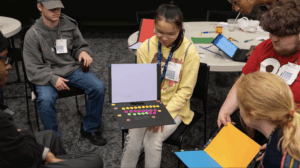
Collaboration with the Governor Morehead School for the Blind
- Usability testing with Lenovo and Lenovo-supported products
This project uncovered critical patterns in user needs, barriers, and workarounds.
Key Problems Identified
Every notebook keyboard layout is slightly different, causing disorientation and errors.
Blind and low-vision users often rely on tactile stickers or external keyboards to help them navigate layout inconsistencies.
Many participants described accuracy and consistency as “critical” to their jobs.
Device miniaturization trends—thinner and smaller notebooks—were making consistency worse, creating chaos for users dependent on muscle memory.
This research made clear that addressing tactile wayfinding was not simply a UX improvement—it was an accessibility imperative.
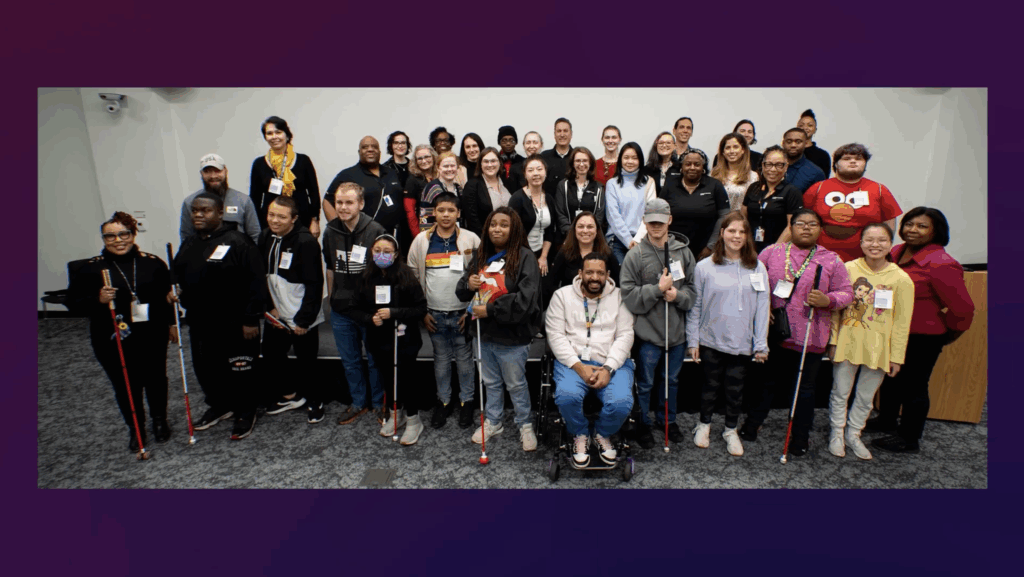
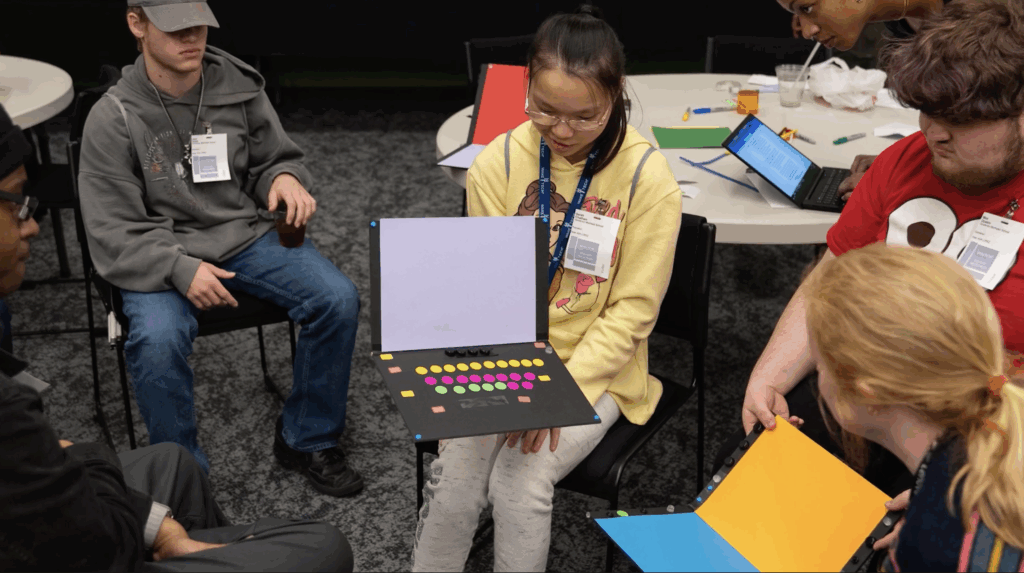
My research surfaced several insights that drove design direction:
Tactile Precision Is Essential
Users needed tactile cues that were instantly recognizable, reliably placed, and consistent across devices and this was especially important for those who use screen readers.
Consistency Matters More Than Customization
Keyboard layouts shifting between models created significant cognitive load; users needed a dependable layout across product generations.
Solutions Must Support All Users
Cues needed to be noticeable enough to help visually impaired users, but subtle enough not to distract sighted users.
Enhancing Accessibility Enhances Usability
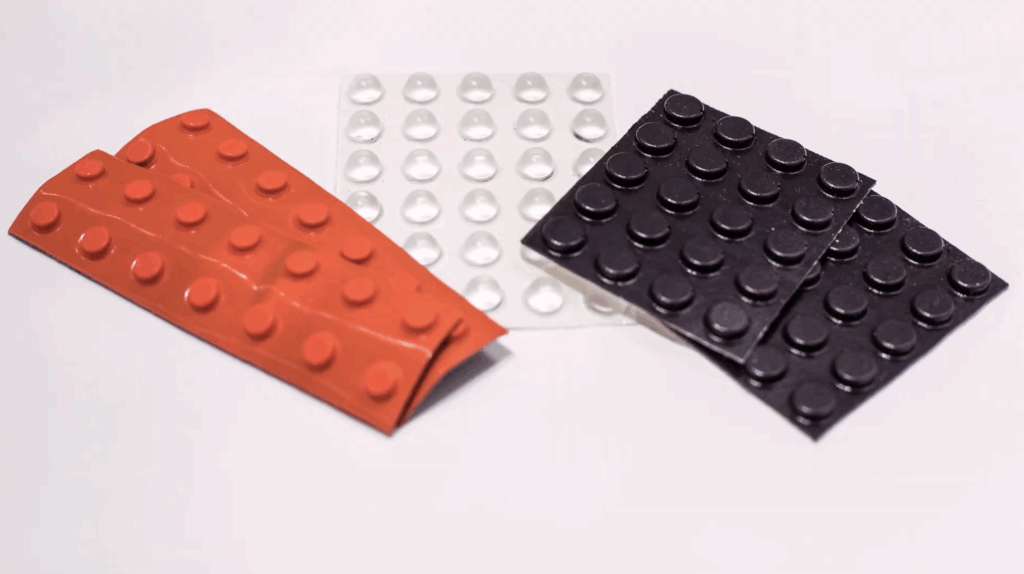
All users can benefit from the addition of more tactile markers—especially touch typists and professionals working in low-light environments—also benefited from tactile markers.
Design Impact
My foundational research identified critical pain points related to keyboard consistency, tactile navigation, and accessibility for blind and low-vision users. Those insights helped establish a clear evidence base that informed Lenovo’s hardware design direction. While the subsequent product design and validation were led by the hardware and industrial design teams, my work laid the groundwork for integrating built-in tactile cues into the ThinkPad X1 Carbon Gen 12. This outcome marked the first mainstream laptop keyboard to include tactile accessibility enhancements and has since influenced Lenovo’s forward-looking keyboard design standards across future notebook and desktop products.
Project Milestones
Year 1
Foundational Research
Diary study with individuals across the visual impairment spectrum
Exploratory studies identifying tactile navigation barriers
Partnership established with the Governor Morehead School for the Blind
Year 2
Prototyping & User Testing
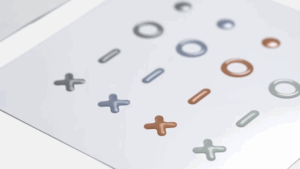
Dozens of tactile design concepts explored
Multiple rounds of user testing with visually impaired and sighted users
Insights shared with ThinkPad product managers, engineers, and the Product Diversity Office
*I mostly consulted during this phase
Year 3
Product Integration & Global Launch
Tactile cues adopted by the ThinkPad X1 Carbon Gen 12
Announced publicly at CES 2024, receiving immediate press attention
Lenovo becomes the first laptop manufacturer to integrate these cues
Cues standardized for all future Lenovo keyboards
Impact
For me, this work represents a rare moment in hardware design, where a small innovation created meaningful usability improvements for millions of users—blind, low-vision, and sighted alike.
As Dana shared:
“When I learned the new keyboard would be a reality, I wanted to jump out of my seat with joy. Knowing that the work I’d done on my first project was bearing fruit was thrilling.”
This project showed me how accessibility research, inclusive design, and cross-functional collaboration can fundamentally reshape core product experiences across an entire product line.
Recognition
My work on this project earned me:
Customer Impact Team Award (2024)
VP Award for Individual Excellence (2024)

Citations & References
-
Lenovo Research & Insights (2024). Innovating for individuals with visual impairments — Interview with Dana Gierdowski, Senior Manager, UXD Research & Insights. Lenovo Instagram Feature.
-
Lenovo (2024). Tactile Keyboard Cues: Improving Accessibility for Blind and Low-Vision Users. Official announcement at CES 2024, including user testing and design outcomes.
-
Research & Insights Team, Lenovo (2021–2024). Exploratory and evaluative research program on accessibility and tactile design, including interviews with users with visual impairments and collaboration with the Governor Morehead School for the Blind.
-
YouTube Transcript (Lenovo, 2024). Tactile Keyboard Accessibility Feature Overview. Research and testing summary video with hardware UX and Product Diversity Office teams.
- Instagram: https://www.instagram.com/p/C7CJmYatR7d/
- YourTube: https://www.youtube.com/watch?v=M-5iUleLOGA
Let’s Connect!
Explore my latest updates on Linkedin or review my resume for more detail.